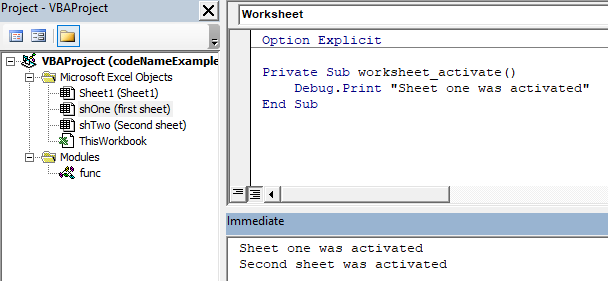
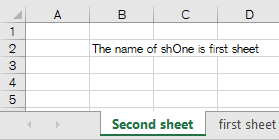
insertSheet inserts a
worksheet, names that sheet and assigns a name to the sheet's code name. Thus, it is possible to use
insertModule with the code name's value which is for example used for
worksheet events.
create.wsf
This is the script to be executed on the commandline with
script.exe to produce the example:
<job>
<script language="VBScript" src="..\..\..\TF\DWH_DM_RISKFINANCE\lib\VBA\VBScript-App-Creator\create-MS-Office-App.vbs" />
<script language="VBScript">

option explicit

dim wb
set wb = createOfficeApp("excel", currentDir() & "codeNameExample.xlsm")

if wb is nothing then ' {
   wscript.echo("Could not create excel Workbook.")
   wscript.quit(-1)
end if ' }

dim app  : set app = wb.application
dim sh_1 : set sh_1 = insertSheet(wb, "first sheet" , "shOne")
dim sh_2 : set sh_1 = insertSheet(wb, "Second sheet", "shTwo")

insertModule app, currentDir() & "shOne.vb", "shOne", 1
insertModule app, currentDir() & "shTwo.vb", "shTwo", 1
insertModule app, currentDir() & "func.vb" , "func" , 1

wb.save

if not compileApp(app) then
   wscript.echo("! compilation failed !")
end if

app.run "main"

' app.quit

</script> </job>